In this article (15 sections)
- The rideshare safety features Uber and Lyft advertise
- What riders actually get: the fine print
- What safety features cannot fix
- Practical steps before and during a ride
- Questions to ask about any safety feature
- If a ride went wrong
- A Step-by-Step Setup Checklist for Rideshare Safety Features
- The Seat Belt: A Safety Feature in Every Car
- Rideshare Safety Features Only Work With a Charged Phone
- How Rideshare Safety Features Can Create a Record
- Talking With Family About Rideshare Safety Features
- If a Safety Tool Did Not Work
- Common Myths About Rideshare Safety Features
- Frequently asked questions
- How Direct2Attorney can help
Last updated: October 2026
Uber and Lyft advertise a long list of rideshare safety features, from PIN codes to trip sharing to emergency buttons. Many of these tools are real and useful. But some only work in certain cities, some must be turned on before a ride, and none of them replaces the company’s duty to screen and respond to drivers. Knowing which rideshare safety features you have, and setting them up before a trip, can make a real difference when you need help fast.
This guide compares what the apps say they offer with what riders actually get in practice.
The rideshare safety features Uber and Lyft advertise
Here is what each company lists on its own safety pages as of October 2026.
Uber
According to Uber’s safety page and company announcements:
- Driver background checks, including impaired-driving and violent-offense checks, with annual rescreening
- Emergency 911 button that can share your live location and trip details with dispatchers
- RideCheck, which uses GPS and sensors to flag long stops, route changes or possible crashes
- PIN verification, a four-digit code the driver must enter before the trip starts
- Audio recording that riders can start from the Safety Toolkit (Time Out)
- Phone number masking and hidden addresses in the driver’s trip history
- Women Preferences, which lets women riders request women drivers
Lyft
According to Lyft’s safety page:
- Driver background checks and safety education
- Smart Trip Check-In, which reaches out if there is a long stop or unusual activity
- Emergency help through ADT, which can alert authorities and share your location
- Audio or video ride recording in the app
- Location sharing with trusted contacts
- PIN verification, in select markets only
- Women+ Connect, which gives women and nonbinary riders options to be matched with women and nonbinary drivers
What riders actually get: the fine print
The features above are real. But the details matter.
Many features are opt-in
PIN verification, automatic recording and trip sharing usually need to be set up ahead of time. Someone in distress, or someone who has been drinking, may not be able to turn them on mid-ride.
Some features are limited by location
Lyft says its PIN feature is available “in select markets only.” Uber’s 911 data sharing is described as available in a growing list of U.S. cities. What you see depends on where you ride.
Matching preferences are not a promise
Uber expanded Women Preferences nationwide in March 2026 after a pilot that began in 2025, according to the company. But the company also says riders can pick a faster ride if the wait is too long. The setting raises the chance of a woman driver. It does not ensure one.
Monitoring is after the fact
RideCheck and Smart Trip Check-In send a message after something unusual happens. They can help. But they react to a problem rather than prevent it.
What safety features cannot fix
Survivors in the Uber and Lyft lawsuits argue that the biggest safety decisions happen before a rider ever opens the app: who is allowed to drive, how complaints are handled and whether drivers with warning signs stay on the platform.
In the first federal bellwether trial in February 2026, a jury in Phoenix found Uber liable and awarded $8.5 million to a woman who said a driver raped her, Reuters reported. The jury found the driver acted as Uber’s “apparent agent,” the Associated Press reported. Uber said the jury rejected claims that its safety systems were defective, and it plans to appeal.
That mix is a good reminder. Features can help, but courts are looking at the whole safety system, not just the buttons in the app.
Practical steps before and during a ride
These steps use the tools that already exist:
- Turn on PIN verification in your app settings before you need it.
- Set up trusted contacts so trip sharing is one tap away.
- Check the plate, car and driver photo before you get in.
- Sit in the back seat when you can.
- Learn where the emergency button is in the Safety Toolkit.
- Keep your trip receipt and messages after the ride. They can be important later.
Looking out for a friend? Trip sharing lets you follow their ride in real time, and you can ask them to text you when they are inside. Small habits like these are easiest when you agree on them before the night starts.
If something happens, it is not your fault, whether or not you used any of these tools.
Questions to ask about any safety feature
When a rideshare app announces a new tool, a few simple questions help you judge how much it will protect you:
- Is it on by default, or do I have to turn it on?
- Does it work where I live? Some features roll out city by city.
- Does it work if I cannot use my phone? A tool that needs a tap may not help in an emergency.
- What happens to the data? Uber says ride recordings are encrypted, and riders can choose to share them with the company after a trip.
- Who responds, and how fast? A check-in message is only as useful as the response behind it.
Asking these questions is not about fear. It is about knowing which tools are worth setting up before your next ride.
If a ride went wrong
If you were assaulted or harassed during a rideshare trip, your first priority is your safety and wellbeing. You can call the RAINN National Sexual Assault Hotline at 800-656-4673 for free, confidential support 24/7.
When you are ready, you can report to police, report in the app, or both. Saving screenshots of your trip and any messages can help if you later decide to explore a claim.
A Step-by-Step Setup Checklist for Rideshare Safety Features
Most rideshare safety features work well when they are set up ahead of time. Doing it once, on a calm day, takes about ten minutes. Then the tools are ready when you need them.
Try this checklist the next time you have a few quiet minutes:
- Update the app. New rideshare safety features often appear only in the latest version.
- Open the safety section. Find the Safety Toolkit in Uber or the safety settings in Lyft, and look at what is listed for your city.
- Add trusted contacts. Pick one or two people who would answer a text late at night.
- Turn on PIN verification, if offered. If you do not see it, it may not be available where you live.
- Check recording settings. See whether audio or video recording is offered, and whether it can start on its own.
- Find the emergency button. Know where it is so you can reach it without searching.
- Review your profile. Make sure your phone number is current so the app can reach you during a check-in.
Repeat these steps when you travel. Rideshare safety features can differ from city to city, so a tool you use at home may not appear somewhere else.
A quick pre-ride routine
- Wait indoors or in a well-lit spot until the app shows the car has arrived.
- Match the plate, car model and driver photo before you open the door.
- Ask, “Who are you here to pick up?” instead of saying your own name first.
- Share your trip with a trusted contact as soon as the ride starts.
The Seat Belt: A Safety Feature in Every Car
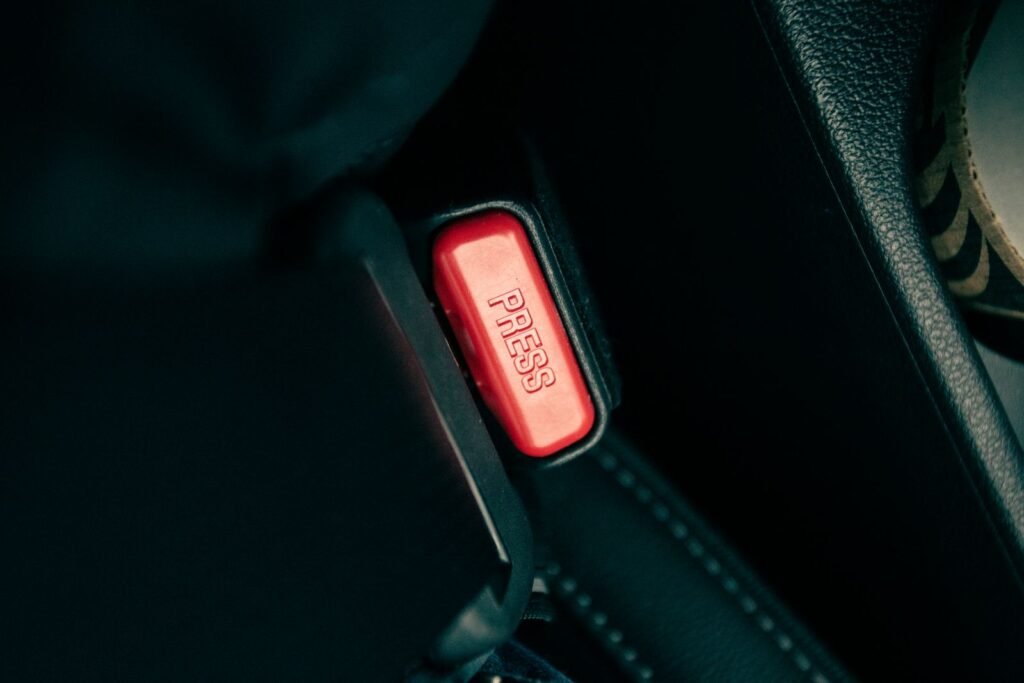
App tools get most of the attention. But the oldest of all rideshare safety features is already in the back seat: the seat belt. Many riders skip it, often because the trip feels short or the back seat feels safe.
Research from the Insurance Institute for Highway Safety (IIHS) shows why buckling up in the back matters:
- Observed belt use for rear-seat occupants was 84% in 2025, compared with 92% for drivers.
- Among people killed in crashes, only 32% of those in the second or third row were belted.
- In the center rear seat, lap and shoulder belts lower the risk of fatal injury by 58% in cars and 75% in SUVs, vans and pickups.
- An IIHS survey found adults often skipped back-seat belts because they thought the back seat was safer.
The IIHS also reports that adult rear-seat passengers are covered by belt laws in 34 states and Washington, D.C. Whether or not your state requires it, buckling up takes two seconds and works on every trip.
If you cannot find the belt
Belts can slip between the seat cushions. You can ask the driver for help or ask to be let out somewhere safe if you do not feel comfortable. If a car has no working belts, you can report it in the app.
Rideshare Safety Features Only Work With a Charged Phone
Nearly all rideshare safety features depend on your phone. If the battery dies, so do trip sharing, check-ins and the emergency button. A few simple habits help close that gap.
- Charge your phone before a night out, and carry a small charger if you can.
- Turn on low-power mode when your battery drops below about 30%.
- Memorize one phone number, or write it on a card in your wallet, in case your phone stops working.
- Tell a friend your plan for getting home before you leave.
When you are booking for someone else
Many people order rides for parents, friends or partners. If you book the trip, the rideshare safety features usually live on your phone, not theirs. Share the driver and car details with the rider. Stay reachable until they arrive, and ask them to text you when they are inside.
If a friend has been drinking, consider riding with them or helping them wait for the car. A tired or impaired rider may not be able to use any tool alone.
How Rideshare Safety Features Can Create a Record
Rideshare safety features do more than help in the moment. Many of them also leave a record of the trip. That record can matter if you later report what happened to police, to the company or to a law firm.
Records that may exist after a ride
- The trip receipt. It shows the pickup time, drop-off time, route and driver name.
- Trip-sharing alerts. Your trusted contacts may have texts showing the route and times.
- Check-in messages. A RideCheck or Smart Trip Check-In alert may show when the app noticed something unusual.
- Recordings. If you used audio or video recording, a file may be stored on your phone or with the company.
- Emergency calls. A 911 call from the app may have shared your location with dispatchers.
- In-app reports. A safety report you filed has a date and time attached.
How to keep those records safe
- Take screenshots of the trip details and any messages before you delete the app.
- Ask friends who received trip-sharing alerts to keep their texts.
- Write down the date and time of any report you make.
- If you used recording, check how the app says it stores the file and how long it is kept.
If you did not save anything, that is okay. The companies keep their own trip data. A participating law firm may be able to request it if you decide to look into a claim.
Talking With Family About Rideshare Safety Features
Many people first learn about rideshare safety features from a family member. A short talk before a big trip, a first semester at college or a night out can help everyone feel more prepared.
With a young adult heading to college
- Sit together and set up trusted contacts and PIN verification on their phone.
- Agree on a simple check-in text, such as “Home” or “In the car.”
- Talk about what to do if a ride feels wrong, such as asking to be let out in a busy, well-lit place.
- Remind them that they can always call you, at any hour, with no lecture.
With an older parent or relative
- Show them where the emergency button is and how trip sharing works.
- Offer to book rides from your phone and share the trip details with them.
- Write the car and plate details on a note if reading the screen is hard.
The point of these talks is not to scare anyone. It is to make rideshare safety features feel familiar, so they are easy to use if something unexpected happens.
If a Safety Tool Did Not Work
Sometimes rideshare safety features do not work the way riders expect. A check-in may not arrive, a recording may not save, or an emergency button may not connect. If that happened to you, it can add to the stress of a hard experience.
- Write down what you tried to use and what happened, with the date and time.
- Take screenshots of any error messages or settings screens.
- Report the problem in the app so there is a record.
- Keep your phone’s call log if you tried to reach 911.
A tool that failed does not change who is responsible for harm. If you are thinking about a claim, a participating law firm may want to know which tools you used and how they worked.
Common Myths About Rideshare Safety Features
Rideshare safety features can be helpful, but some common beliefs about them are not accurate. Knowing the facts helps riders use them well.
- Myth: The features are always on. Many must be turned on in settings first, and some only work in certain cities.
- Myth: A check-in means help is coming. A check-in message asks if you are okay. It is not the same as an emergency response.
- Myth: If I did not use the tools, it is my fault. No. Harm caused by someone else is never your fault, whether you used any rideshare safety features or not.
- Myth: Gender matching decides who will pick me up. Uber and Lyft both describe these settings as raising the chance of a match, not promising it.
- Myth: The app has screened out every risk. Background checks help, but they cannot predict every person’s behavior. That is why screening practices are a key issue in current lawsuits.
Rideshare safety features are one layer of protection, not the whole system. Using them, along with simple habits like buckling up and checking the car, gives you the most options on every ride.
Frequently asked questions
Do rideshare safety features prevent assaults?
They can reduce some risks and help after an incident. But they do not control who is allowed to drive. Many lawsuits focus on screening and how companies respond to complaints.
Is Uber’s audio recording available everywhere?
Uber describes audio recording as part of its Safety Toolkit, but availability can vary. Check the Safety Toolkit in your app to see what works where you live.
If I did not use a safety feature, can I still bring a claim?
Not using a feature does not mean you are to blame. Whether you may have a claim depends on the facts and your state’s law. A participating firm can review your situation.
How long do I have to file?
Deadlines vary by state and claim type, and some states have special rules for sexual assault claims.
What is Women+ Connect?
It is a Lyft setting for women and nonbinary riders and drivers. When it is turned on, Lyft tries to match them with each other. Like Uber’s Women Preferences, a match is not certain on every trip.
How Direct2Attorney can help
Direct2Attorney connects rideshare passengers with participating law firms that handle Uber and Lyft claims. You can share what happened, at your own pace, through our rideshare lawsuit page. A participating firm may review whether you qualify. For broader support, see our sexual abuse lawsuit page.
Rideshare safety features are a start, but you deserve a full answer about what went wrong.
Direct2Attorney is a legal marketing and referral service, not a law firm. This article is general information, not legal advice. Submitting information does not create an attorney-client relationship.